How to Rank Your Google Business Profile?


• What is a Google Business Profile (GBP)?
• Optimizing your business profile
• How to set up a Google Business Profile step by step?
• How to grant editing access to your Google Business Profile?
• How to rank businesses in Google Maps
• How does a Google Business Profile affect SEO?
• Why is it worth optimizing your Google Business Profile?
Is optimizing your Google Business Profile difficult?
Optimizing your Google Business Profile is a simple task that can support the promotion of your company online. It not only builds recognition and shortens the path for users to find information about your business, but also has a positive effect on SEO. What is worth knowing about optimizing a Google Business Profile, and how do you do it?
What is a Google Business Profile (GBP)?
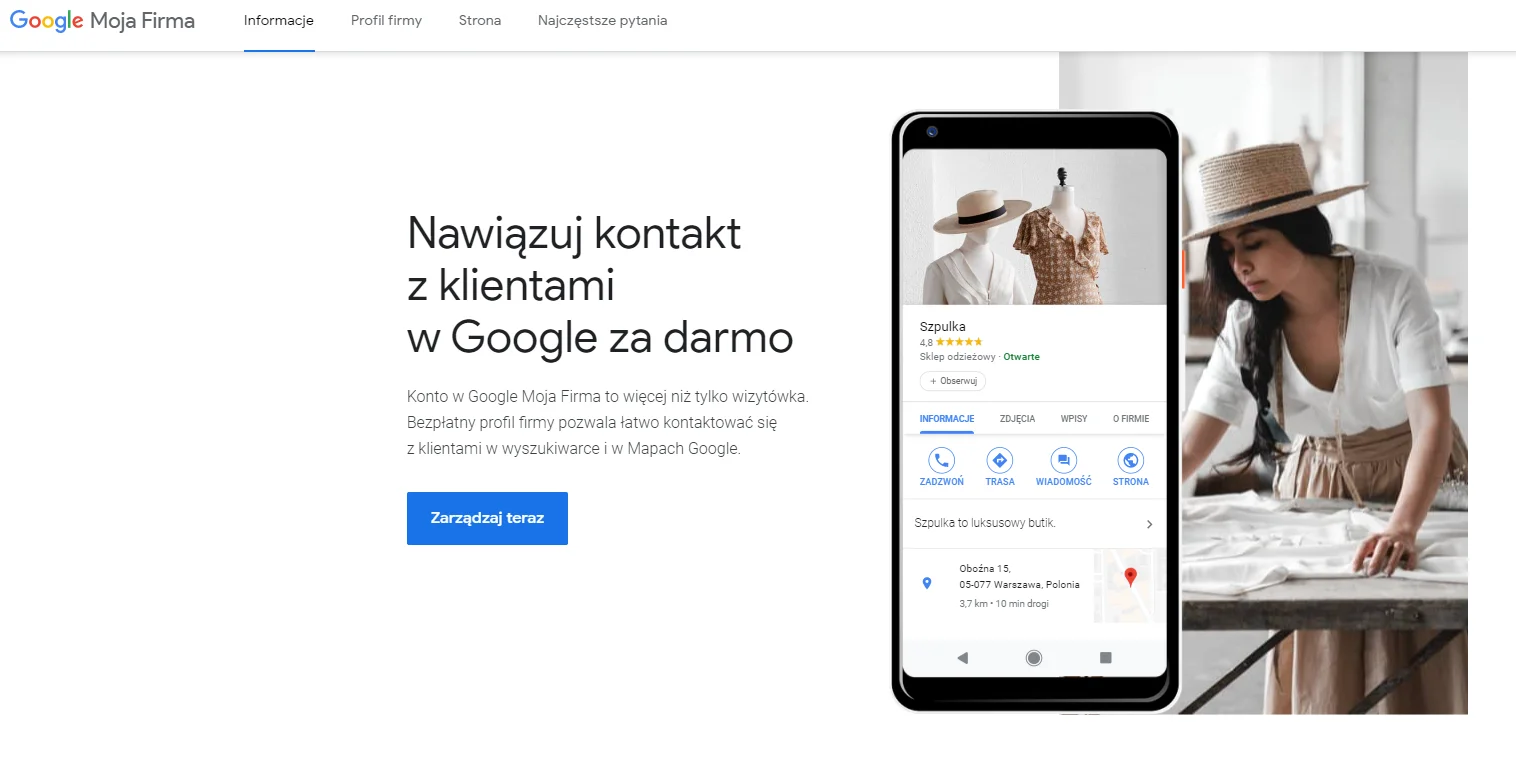
A Google Business Profile (GBP) is a free Google tool used to present basic information about a company. Depending on the type of business, it can describe things like opening hours, contact details, or a website address. A profile in Google applies to companies that have a physical location, which Google verifies by mailing a code that confirms ownership of the profile. So if your premises are still under construction and have no address, you will have to wait before setting up a Google Business Profile.
It also happens that a Google Business Profile has no owner. If that is the case for your company, you can claim ownership through a similar process, verification with a code sent by mail. It is worth doing, because beyond simply showing up to your potential customers, your profile gives them verified information about you. That is potential you cannot waste. [Not sure how to do it? Get in touch with us]
Source: google.com
How to complete your Google Business Profile? Optimizing your business profile
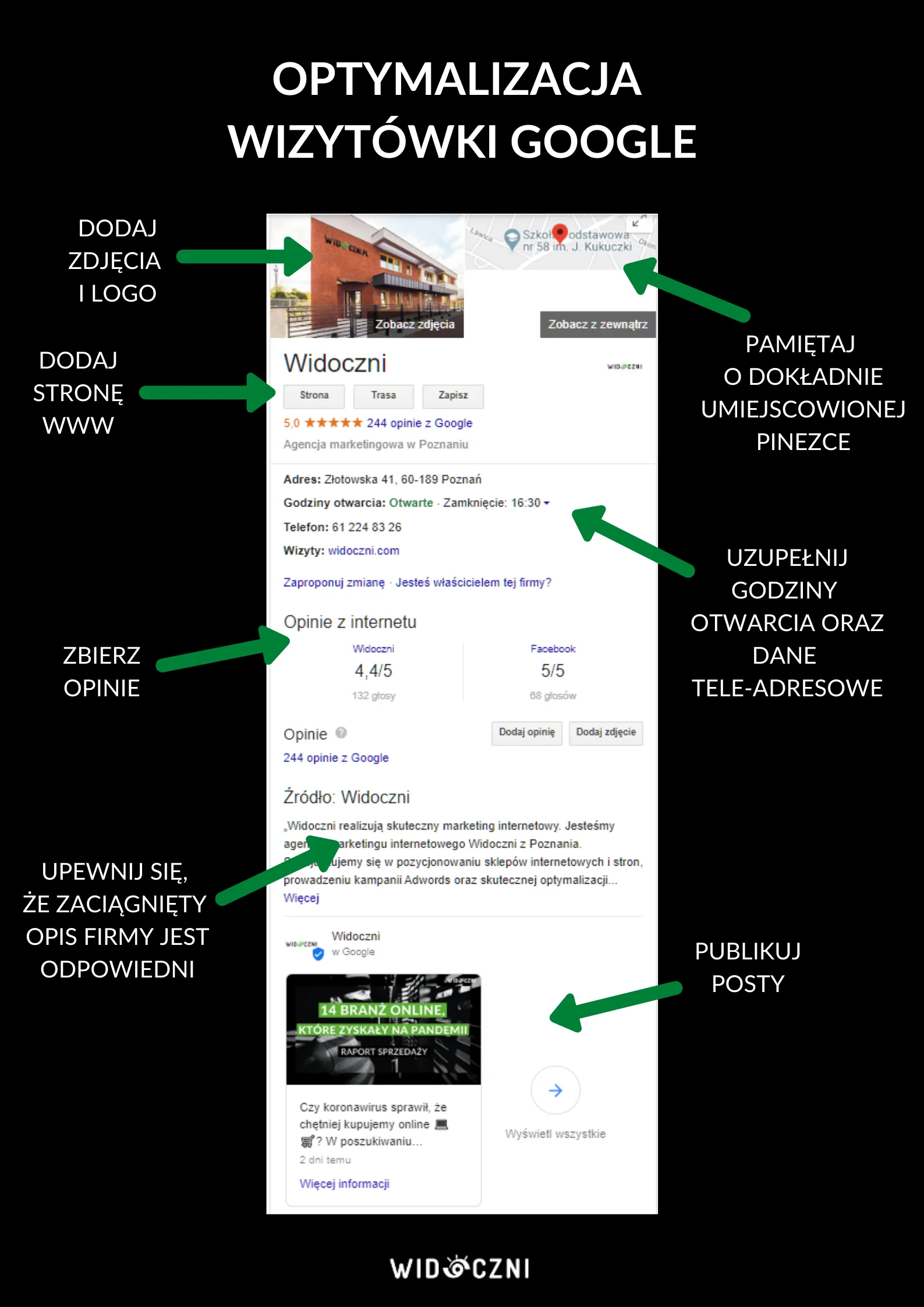
To get the most out of your Google Business Profile, try to fill it in as thoroughly as possible. Let's look at a few examples of businesses and what information you can add for each.
A service business in a Google Business Profile
If you provide services, you may host clients at a physical location or be available by phone. In both cases, the opening (working) hours listed in your Google Business Profile matter. Other important details, besides your address, are your phone number and website address. So much for the practical side, but a Google Business Profile is also part of building your image, so it is worth taking care of:
- current, attractive photos of your premises
- customer reviews, which are worth actively seeking
- helpful answers to user questions
- links to interesting news (for example blog articles)
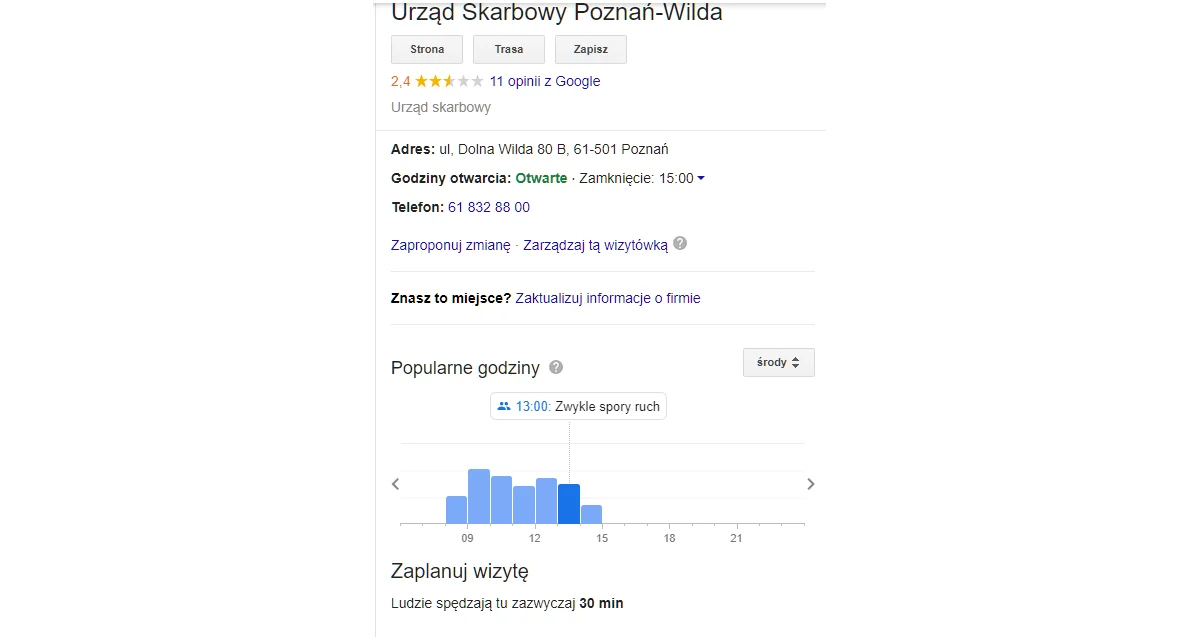
Example of a profile for a public institution. Source: google.com
A local store in a Google Business Profile
When someone is looking for a store, whether a chain or a small shop, they usually check the opening hours in the Google profile first. A useful extra, though, is the Google Business Profile data on how much time customers spend in the store on average and how visits are spread across the day. This lets people plan their shopping around their own preferences and, for example, set aside more time for a visit.
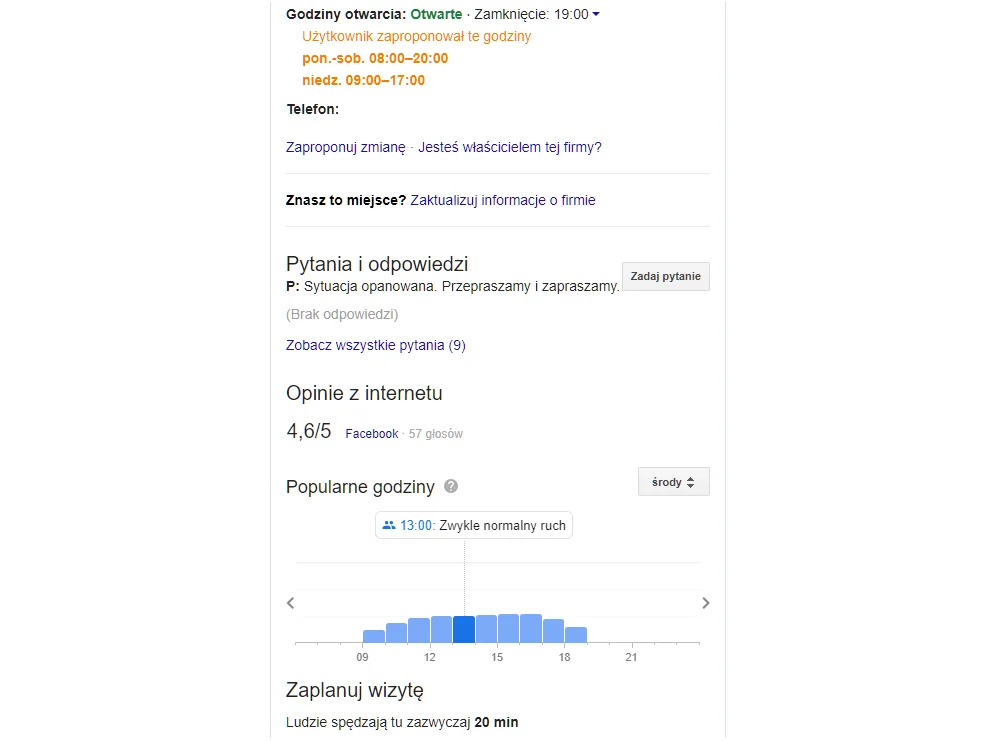
Example of a store profile. Opening hours can be adjusted to the current situation, for example during holidays. Source: google.com
Restaurants and cafes
For places like restaurants and cafes, reviews are key to ranking a Google Business Profile. In this industry, emotional and extreme reviews are unfortunately common, so it is important to manage your Google profile and respond to every question, complaint, and request. Importantly, Google reviews cannot be removed unless you prove to Google that they do not concern you and violate the guidelines. In practice, getting rid of an inconvenient review is not possible. Another option on your profile is to add food delivery information with a link to the intermediary where orders are placed.
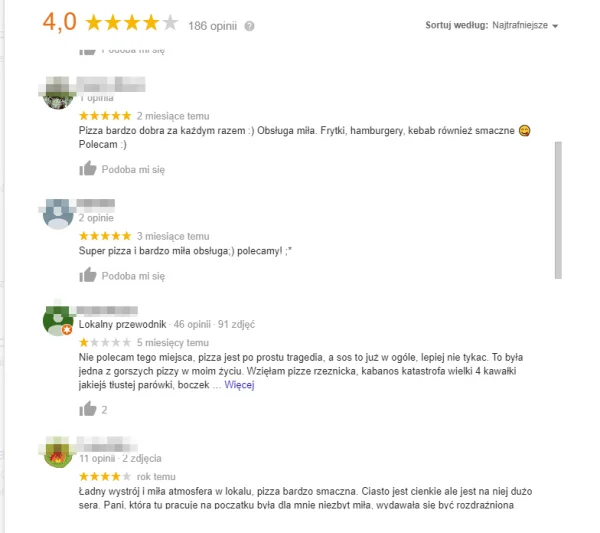
In the restaurant and tourism industries, user reviews are especially important. Source: google.com
Companies with blogs or news and Google Business Profiles
Does your company run a tips section, a blog, or a news feed on its website? You can promote selected entries as posts on your Google profile. A post takes the form of an image with a short description and a link to the article. You add it from the management panel of your Google Business Profile. There are several post types to choose from, so you can also use them to announce news, promotions, or even a temporary closure.

Keep customers up to date on your news, discounts, and new offerings. Source: google.com
How to set up a Google Business Profile step by step?
You already know the promotional benefits of running a Google Business Profile. So how do you go about it? Do you have to pay to set one up? You can create a profile yourself or have someone do it for you, but it is worth knowing that it is very simple and should not cost much.
Start by signing in to your Google account and going to business.google.com. Then follow the steps below, making sure to provide as much customer-relevant information as possible at each stage. At the end you are offered the chance to verify your profile, and it is worth doing.

1. Enter your business name
The name does not have to match what appears in official documents. You can stick to a locally recognized name, for example Danusia Store instead of a long registered company name. Source: business.google.com
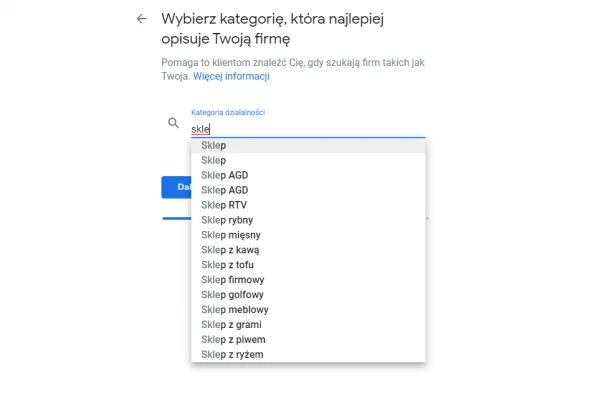
2. Choose your category in the Google Business Profile
Choose the category that best describes you. Unfortunately, you can only add a category from a drop-down list, so you may have to compromise and find something related if your exact category is missing. Source: business.google.com
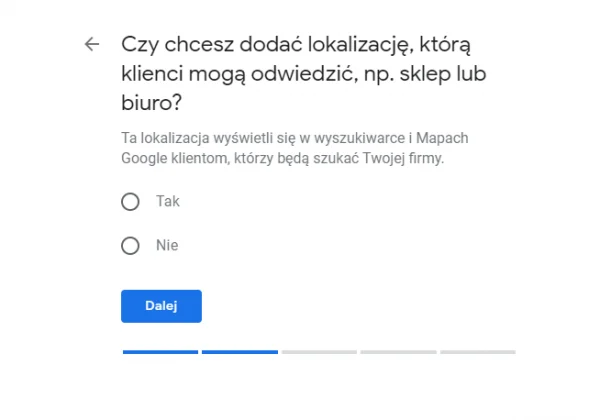
3. Enter your business address in the profile
Enter your business address and indicate whether it is the only place you operate from. This matters, for example, for people who travel to their customers. In that case you can set the maximum distance within which you provide services. Source: business.google.com
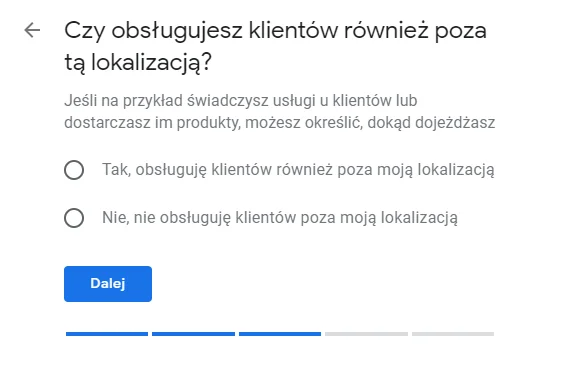
4. Set your exact location with a pin
This helps your users find you even in an unusual spot. Add information about your service area. Source: business.google.com
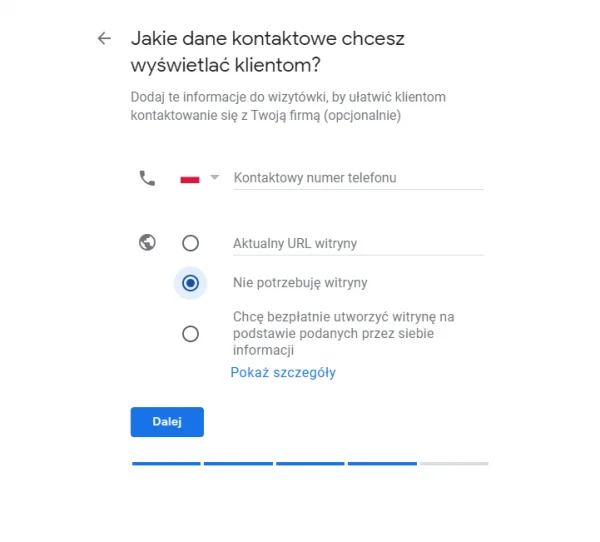
5. Set up contact options in your Google profile
In your profile you can add a phone number, an email address, or connect a chat. Make sure users can reach you easily. Be sure to add your website address if you have one. Source: business.google.com
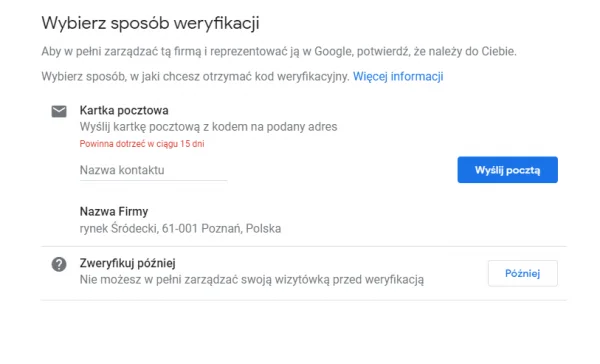
6. Verify your Google Business Profile
The last step is verification, but you can complete it later. It is worth doing, though, so you can access the many features of a Google Business Profile. Source: business.google.com

Looking for a proven agency with great reviews? We have over 750 positive reviews on Google.
Get in touch
TIP: How to grant editing access to your Google Business Profile?
Working with an agency that handles your SEO and want it to optimize your business profile? Grant it the right access in the profile management panel. In the side menu, find Users, and in the pop-up window select the people icon in the top right corner. A window appears where you enter the email address you want to grant access to. Below it you will find a drop-down list of access levels, so choose the one that allows editing.
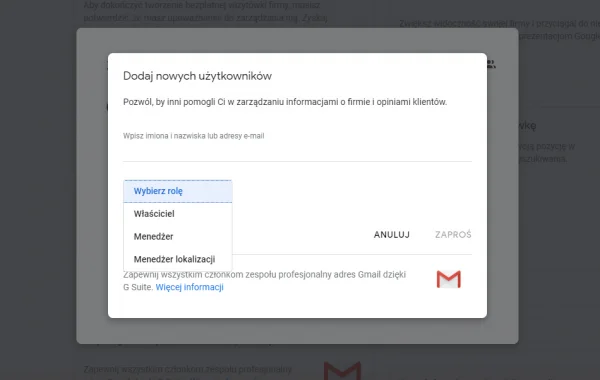
Granting access to your Google Business Profile
Do not share logins and passwords. Use the feature for adding users to manage the profile. These can be your coworkers or the agency handling your business. Source: business.google.com
How to rank businesses in Google Maps
To search for businesses, we use Google Search or the Google Maps app directly. It is worth noting that Google Search also gives you access to Google Maps results. So what makes some businesses more visible while others sit somewhere at the bottom of the list?
How popular the place is
According to what Google states on its site, Google Maps search results are meant to reflect the offline popularity and prestige of certain places. So a trendy restaurant will rank higher in Google Maps than a newly opened niche spot. That is a sign it pays to combine different areas of marketing, because they influence one another.
User reviews in your Google Business Profile
Reviews are part of your Google Business Profile, but they also show in your Google Maps listing. Google states that user reviews are a ranking factor in Google Maps. It is worth noting, though, that Google looks at aspects like the number of reviews as well as their quality, that is, whether it is only a star rating or a written review, how detailed it is, and whether it contains relevant keywords that signal its value. How Google interprets the average rating is unclear. Does a company with an average of 4.7 from 150 reviews do better than one with 3 reviews and an average of 5.0? Watching how businesses rank in Google Maps and their ratings, you might reach that conclusion.
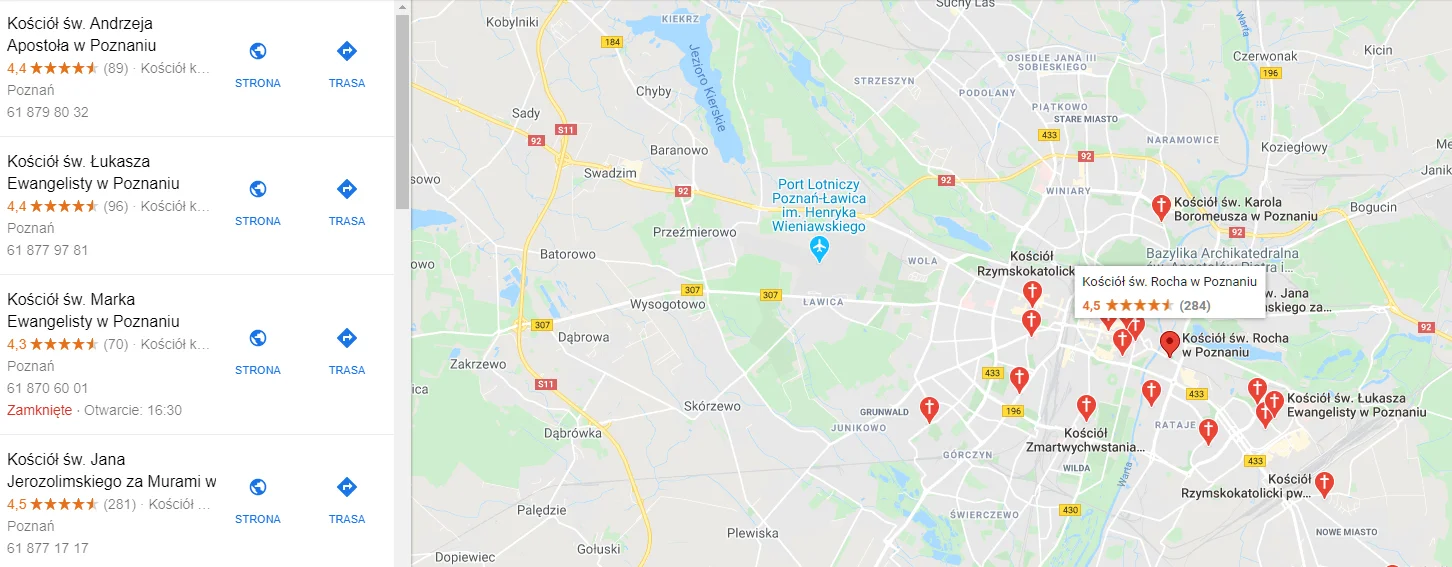
In Google Maps results, you can sort by stars. Source: business.google.com
Granting access to your Google Business Profile
How do you get reviews on Google? It is certainly not worth waiting for users to remember on their own. It is common for dissatisfied customers to have the strongest motivation to leave a review. So it is worth showing the happy ones how they can thank you for good service. In your Google Business Profile you can generate a special review link that you can send to satisfied customers with a request to leave a review. How to do it? You will find the details here: support.google.com/business/answer/7035772?hl=en
Taking care of reviews is not only about Google reviews, though, because a Google Business Profile also pulls in the average rating from other review sites, such as Facebook. Even though only the average is shown, it can still influence customer decisions.
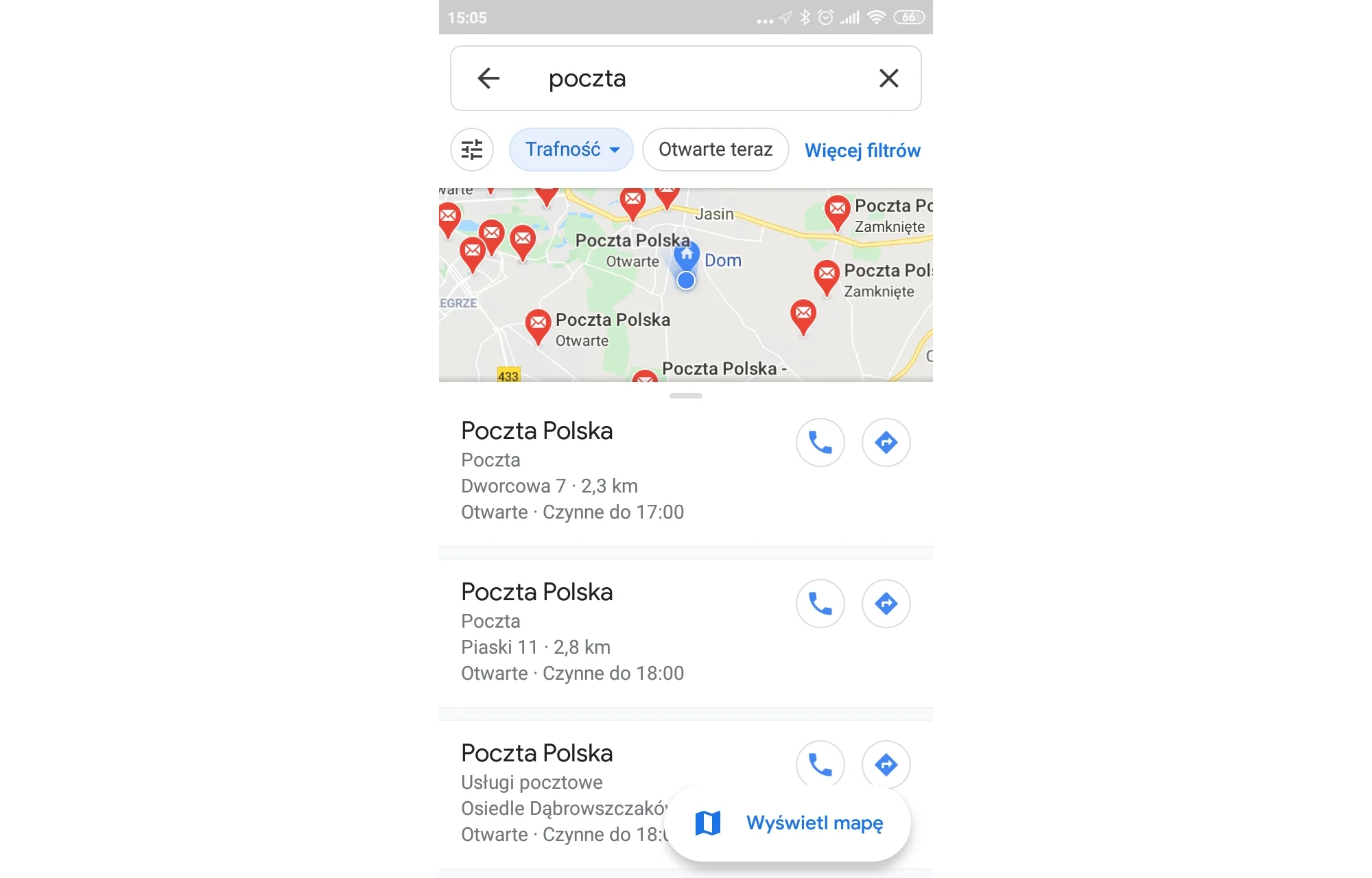
On mobile, users see the distance from each business to their current location. Source: google.com
Location and distance
This one is out of your control. Search results are also sorted by distance from the user. So if your business is off the beaten path, it will be hard to rank higher in Google Maps for users in the city center searching there. But it can work the other way too, meaning you will beat central businesses when users on the outskirts look for someone nearby. Either way, this is a factor you cannot get around when ranking a business in Google Maps.
On mobile devices, results can be arranged by the number of miles between you and a given place. Whether that happens is up to the user, who chooses to sort by relevance or by distance.
How does a Google Business Profile affect SEO?
A Google Business Profile is not only an important aspect of ranking in Google Maps, but also of local SEO, which works differently. In Google Maps ranking, the goal is to appear in the so-called local pack, meaning the Google Maps search results, as in the screenshot below:
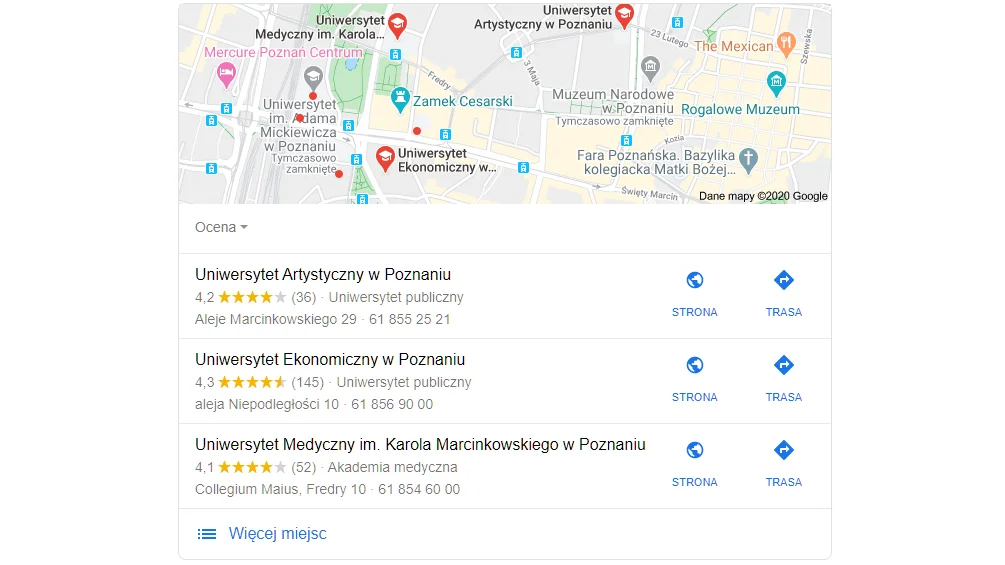
The top three results in Google Maps, that is what we compete for. Source: google.com
Local SEO, on the other hand, is meant to reach users looking for businesses in a specific location. Your company page then appears in the organic search results, either to people searching for services nearby (Thai restaurant) or to those who include a specific location in their query but are not there yet (hotel Miami). A well-completed Google Business Profile should carry the same contact details that appear on your company website and in its industry directory listings. This gives Google a clear signal about your location and tells it when to show your business in search results.
Why is it worth optimizing your Google Business Profile?
Optimizing your Google Business Profile is, on one hand, a way to rank your business in Google Maps and, on the other, an important part of local SEO. To optimize it, all you need is access to it and verification of your physical address. It is worth spending time on this and adding everything that matters to the quality of your profile from both Google's and the user's perspective. Thanks to its many features, a Google Business Profile is also a way to communicate changes and build relationships with your audience.
FAQ - questions and answers
A Google Business Profile is a free profile that presents basic information about a company, its location, contact details, opening hours, photos, and reviews, directly in search results and in Google Maps. The key details are: your full business name, address, phone number, website, and working hours. Also important: choosing primary and secondary categories, professional photos, current posts, and detailed service descriptions. Yes. Google takes into account both the number and the quality of reviews. Written reviews with keywords can further boost visibility, and the more genuine reviews, the better. Yes. In the Google Business Profile panel you can add users with different levels of access. It is a safe way for an agency or an employee to manage the profile without sharing passwords.What is a Google Business Profile (GBP)?

What information do you need to complete for the profile to be effective?
Do reviews on the profile matter for ranking?
Can you give an agency access to the profile?


